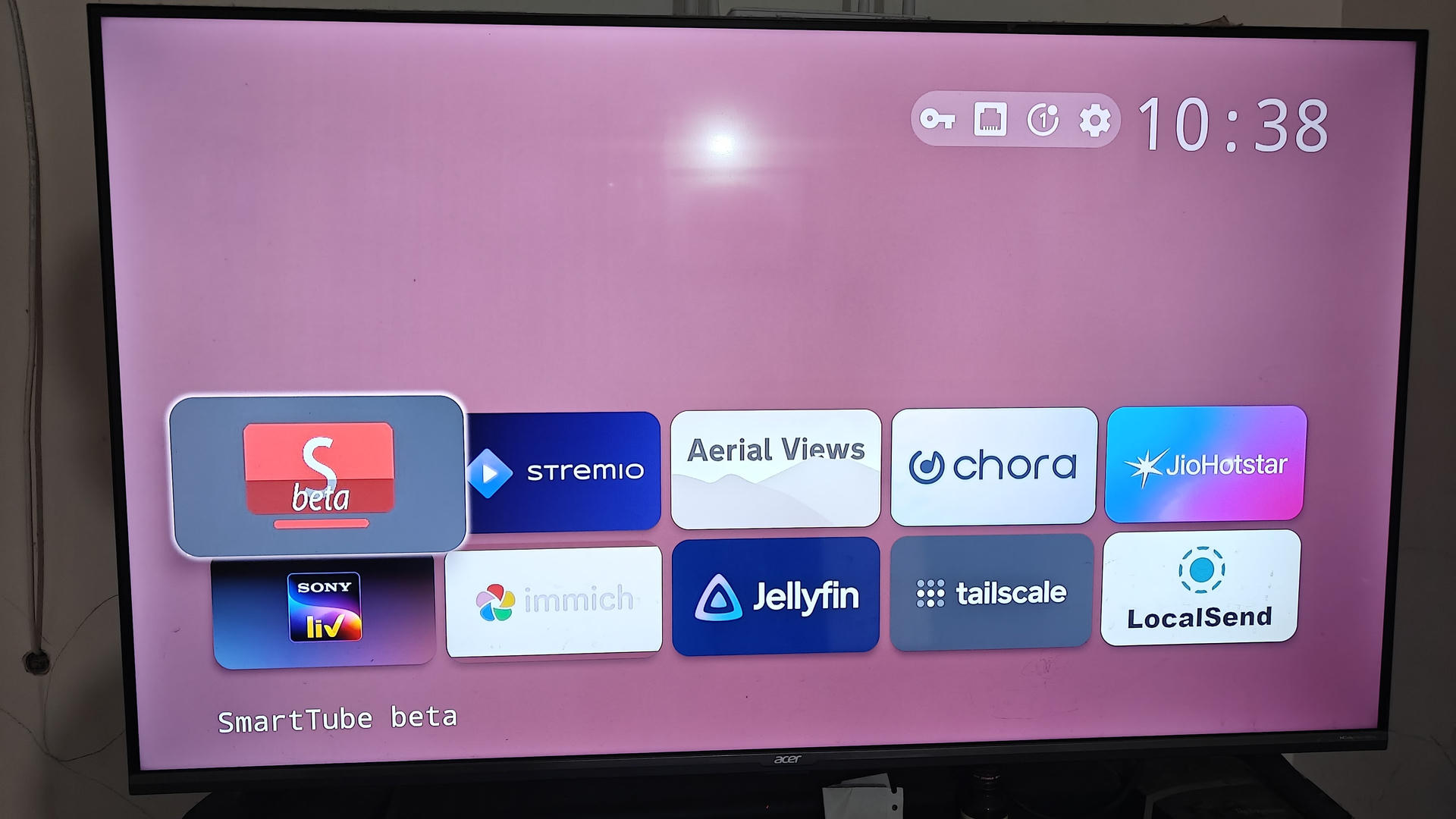
Debloating Android TV and remapping hardcoded buttons on the remote
I recently decided to clean up my Android TV (an Acer Smart TV). If you have used modern Google TV or Android TV devices, you probably know how frustrating they can be. Sluggish interfaces, recommendation banners for shows you will never watch, and ads taking over half the home screen.
My plan was simple. Replace the cluttered default home screen with a minimal launcher (Projectivy Launcher), use SmartTube for ad-free YouTube, and use Stremio for movies and shows. Most importantly, I wanted the physical YouTube and Netflix buttons on my remote to launch SmartTube and Stremio directly.
I connected my laptop to the TV over Tailscale using ADB.
$ adb connect 100.x.y.z:5555
connected to 100.x.y.z:5555
First, I sped up the window animations across the system to make navigation snappier.
for k in window_animation_scale transition_animation_scale animator_duration_scale; do
  adb -s 100.x.y.z:5555 shell settings put global "$k" 0.75
done
Then, I disabled the default Google TV background services and telemetry apps that I had no use for.
for p in com.google.android.videos \
         com.google.android.play.games \
         com.google.android.youtube.tvmusic \
         com.google.android.feedback \
         com.google.android.partnersetup \
         com.google.android.tungsten.setupwraith; do
  adb -s 100.x.y.z:5555 shell pm disable-user --user 0 "$p"
done
Next, I set Projectivy as the default home launcher.
$ adb -s 100.x.y.z:5555 shell cmd package set-home-activity com.spocky.projengmenu/.ui.home.MainActivity
Success
Everything so far went smoothly. Then I ran into a wall with the remote buttons.
The "Button Mapper" dead-end
Most tutorials online (like Cretezy's guide) suggest installing an app called Button Mapper to detect the remote button press and map it to your preferred app.
I installed Button Mapper, opened it on the TV, clicked Add Buttons, saw the prompt "Press button to add", and pressed the YouTube and Netflix buttons on my remote.
Nothing. Zero response. The screen just sat there waiting.
Digging into the logs
Whenever Android behaves strangely, adb logcat is your best friend. I inspected the system logs while clicking the remote buttons.
$ adb logcat | grep -i -E "key|input|remote"Here is what showed up when pressing the buttons.
E KeyEventManager: [keyCallback] scanCode[758], device[IR_rca]
E KCR-KeyConverter: scanCode: 758 --> keyCode: 2048
E RtkInput: [onKeyEventReceived][keycode=2048] need not Notify! ap decide result is 1
...
D RtkGlobalKeyManager: handleGlobalKey: keyCode: 2048 ComponentInfo{com.realtek.android.globalkeyhandler/...}
That explained everything.
My Acer TV runs on a Realtek SoC with custom firmware drivers (RtkKeyInterceptService). When I press the YouTube or Netflix buttons, the driver intercepts the infrared scan code right at the hardware level.
More importantly, the driver marks the event with ap decide result is 1 / need not Notify!. That tells the system not to pass the key event down to user space. Because standard accessibility services never receive the key press, Button Mapper has no idea anything was pressed in the first place.
Instead, Realtek routes the event directly to its own system app, com.realtek.android.globalkeyhandler.
Decompiling the vendor app
I pulled the Realtek package from the TV to inspect its bytecode.
$ adb pull /system_ext/app/RtkGlobalKeyHandler/RtkGlobalKeyHandler.apk /tmp/I handed the APK and logcat output over to Antigravity CLI (using Gemini 3.8 Flash AI model) to inspect what was happening under the hood.
Looking inside classes.dex, I could see how Realtek handles both buttons.
For YouTube, it directly tries to launch the official YouTube app (com.google.android.youtube.tv). When I had disabled official YouTube earlier, this handler crashed with an ActivityNotFoundException. Because it kept crashing, Android quarantined the Realtek service as a "bad process" in memory, which caused the remote button to stop responding altogether until a reboot.
Netflix was slightly different. It sends an internal broadcast (ACTION_LAUNCH_APP) meant specifically for Google TV's default launcher (com.google.android.apps.tv.launcherx). If the stock launcher is disabled, nothing receives that broadcast, and pressing the button simply does nothing.
Building "RemoteHook"
Since I cannot alter the read-only Realtek driver without root, I decided to use its own behavior to my advantage.
First, I made sure both com.google.android.youtube.tv and com.google.android.apps.tv.launcherx remained enabled so Realtek's hardware trigger never crashes and always dispatches its event.
$ adb -s 100.x.y.z:5555 shell pm enable com.google.android.youtube.tv
$ adb -s 100.x.y.z:5555 shell pm enable com.google.android.apps.tv.launcherx
Next, Antigravity helped me write a small Android Accessibility Service called RemoteHook. Accessibility services in Android can listen to window state transitions (TYPE_WINDOW_STATE_CHANGED). The moment the official YouTube app or Netflix starts coming up, RemoteHook catches that window change in a few milliseconds and immediately opens SmartTube or Stremio instead.
Similarly, whenever Google TV's launcher tries to show up, RemoteHook immediately switches over to Projectivy Launcher.
I put together the service code in RemoteHookService.java and the permissions in AndroidManifest.xml.
Then I compiled and installed the APK using standard Android build-tools via build_and_install.sh.
$ ./build_and_install.sh 100.x.y.z:5555Once installed, I whitelisted the app from battery optimizations and enabled its accessibility service alongside Projectivy.
# Prevent Android from putting RemoteHook to sleep
$ adb -s 100.x.y.z:5555 shell dumpsys deviceidle whitelist +com.vishal.remotehook

# Enable accessibility services for both RemoteHook and Projectivy
$ adb -s 100.x.y.z:5555 shell settings put secure enabled_accessibility_services \
  "com.vishal.remotehook/.RemoteHookService:com.spocky.projengmenu/.services.ProjectivyAccessibilityService"
$ adb -s 100.x.y.z:5555 shell settings put secure accessibility_enabled 1
Handling the Back-button loop (and a neat toggle bonus!)
During initial testing, I ran into a classic problem. When I was inside SmartTube and pressed the Back button to exit, Android destroyed SmartTube and revealed the app sitting right beneath it in the task stack (the official YouTube app). RemoteHook saw YouTube appear, thought "Aha, YouTube opened!", and re-launched SmartTube. An inescapable loop!
To fix this, I added active state tracking in RemoteHookService.java.
if ("com.google.android.youtube.tv".equals(pkgName)) {
    long now = System.currentTimeMillis();
    if (now - lastRedirectTime < 1500) return; // Debounce rapid events

    if (isSmartTubeActive) {
        // I was already in SmartTube and pressed Back (or YouTube again).
        // Don't re-open SmartTube; send me straight to my clean Home screen!
        isSmartTubeActive = false;
        lastRedirectTime = now;
        launchHome();
        return;
    }

    // Fresh press from anywhere else -> Open SmartTube
    lastRedirectTime = now;
    launchApp("org.smarttube.beta");
    return;
}
This also gave me a neat toggle behavior. Pressing the YouTube button from the home screen opens SmartTube, and pressing it again while inside SmartTube closes it and takes me right back to Projectivy. The exact same toggle works for the Netflix button and Stremio.
Surviving TV Software Updates
If the TV receives an over-the-air (OTA) firmware update, user apps like RemoteHook, SmartTube, and Stremio in /data/app remain intact. However, disabled system bloatware or accessibility toggles might get reset.
To make restoration effortless, I put together a one-click setup.sh script that I can run anytime over Tailscale.
$ ./setup.sh 100.x.y.z:5555All source files, the build script, and the setup script are available in this GitHub Gist.